Multi-User
Plitho supports multiple users with role-based access control.
User Roles
| Role | What you can do |
|---|---|
| Admin | Everything: manage users, all apps, server settings, system monitoring |
| User | Create and manage your own apps, databases, and cache instances |
What You Can Access
Regular Users
- Create and manage your own apps
- Create and manage your own databases
- Create and manage your own cache instances
- Create and manage your own data services
- View your own resource usage
- Manage your SSH keys
Admin Users
Everything above, plus:
- Access all apps from all users
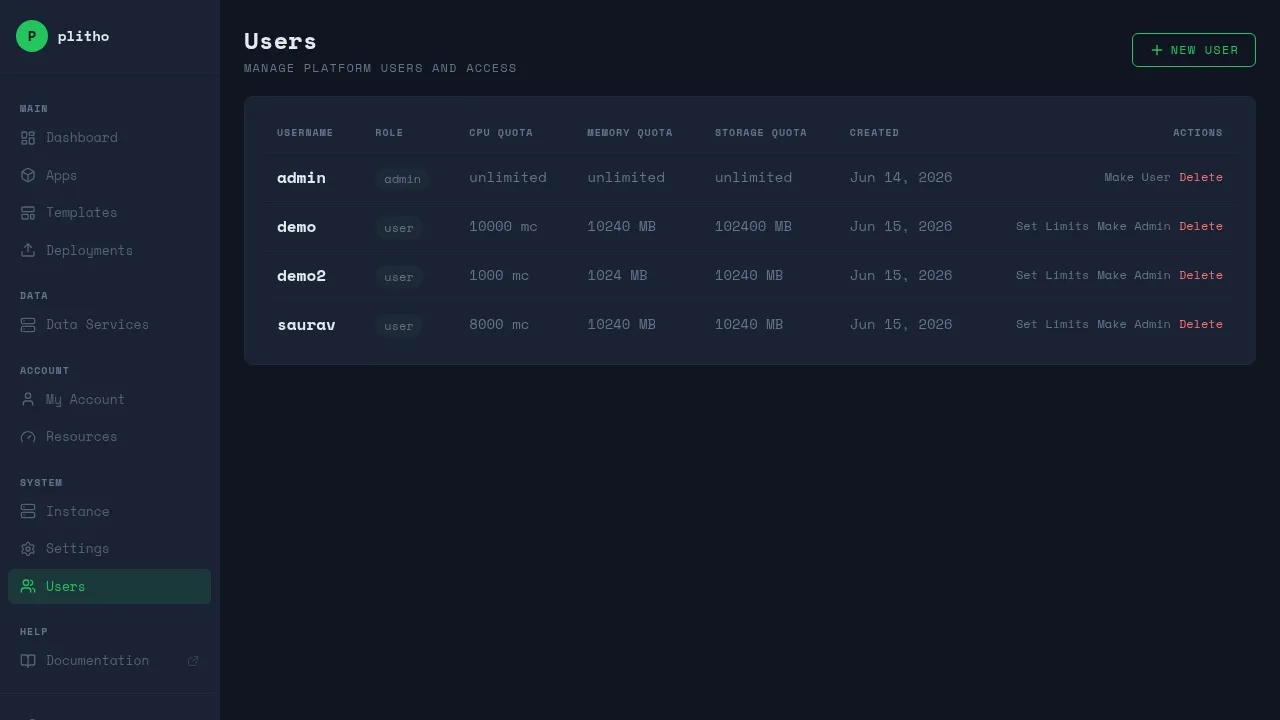
- Manage users (create, delete, change roles)
- View server metrics and system status
- Manage system settings (Instance FQDN, Control Panel Domain)
- Set resource limits per user
- View all deployments
- Access the Instance page
Resource Ownership
| Resource | Owner |
|---|---|
| Apps | The user who created them |
| Databases | The user who created them |
| Cache instances | The user who created them |
| Data services | The user who created them |
- You only see your own resources in the dashboard
- Admins see all resources from all users
- Resource names are globally unique (two users can't have apps with the same name)
Resource Limits (Admin Managed)
Admins can set limits on how many apps, CPU, and memory each user can use. This prevents any single user from consuming all server resources.
When you create an app or cache, Plitho checks that the total doesn't exceed your limits. If it does, the request is rejected.
Network Namespace Isolation
Each user gets a dedicated Linux network namespace. All data services owned by that user run inside their namespace. This provides kernel-enforced isolation between users.
Best Practices
- Use separate accounts for each team member
- Regular users should only have the access they need
- Contact your admin if you need more resources