Data Services
Plitho manages stateful data services — NATS, MongoDB, and RabbitMQ (via LavinMQ) — as native systemd processes on the host.
Overview
Unlike web apps, data services are long-lived background processes that:
- Run as their own system user (
nats,mongod,lavinmq) - Listen on a dedicated port on
127.0.0.1only - Have a cgroup slice enforcing CPU and memory limits
- Have an XFS project quota enforcing disk usage
- Receive backup timers as systemd
.timerunits (optional)
All resource usage counts toward your account quota alongside apps and cache instances.
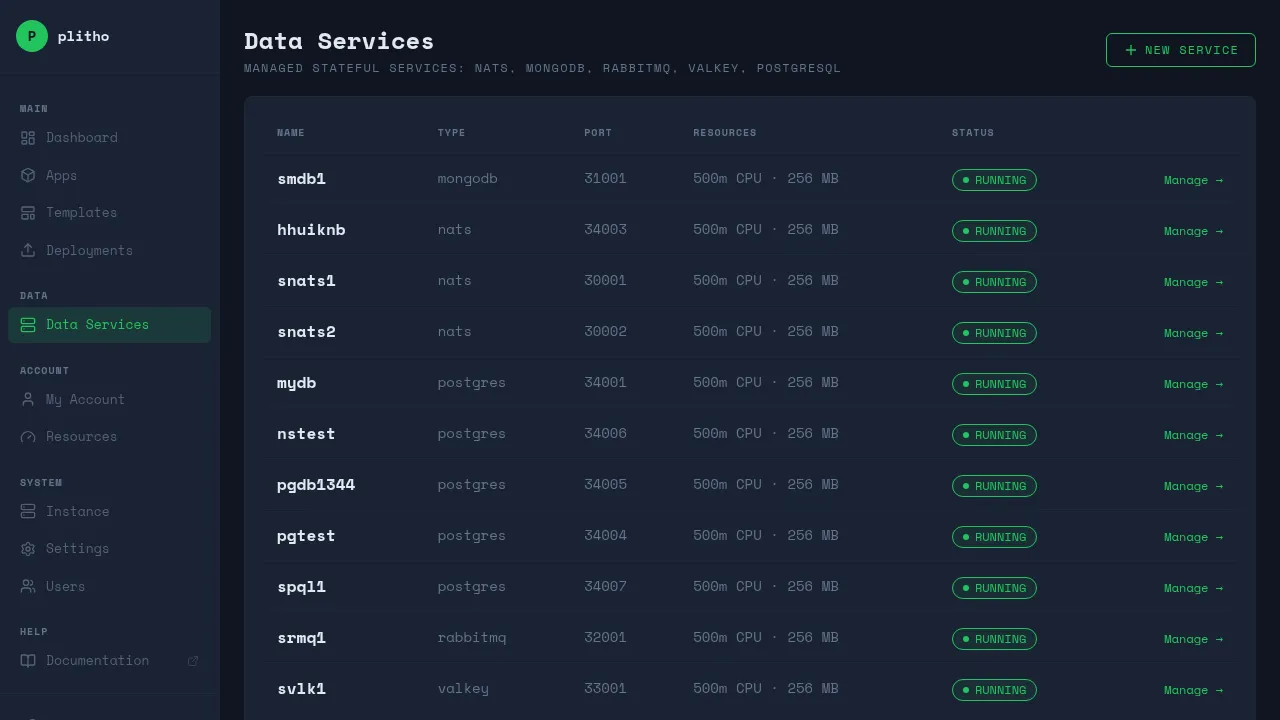
Supported Services
| Type | Binary | Protocol | Default Port Range |
|---|---|---|---|
nats |
nats-server |
NATS, JetStream | 30000+ |
mongodb |
mongod |
MongoDB wire | 31000+ |
rabbitmq |
lavinmq |
AMQP 0-9-1 | 32000+ |
RabbitMQ = LavinMQ
The rabbitmq type uses LavinMQ, a Go-native AMQP 0-9-1 broker that is fully compatible with RabbitMQ clients. It requires no Erlang runtime. The management UI is available at port+10000 (e.g. if AMQP is on 5672, management is on 15672).
Creating a Data Service
Dashboard
The creation flow has three steps:
- Type Selection — Go to Data Services → New Service, choose NATS, MongoDB, or RabbitMQ
- Version + Resources — Select the installed version, set CPU/memory/storage, optionally enable backups
- Config + Deploy — Fill in service-specific configuration (credentials, protocol settings), then click Deploy
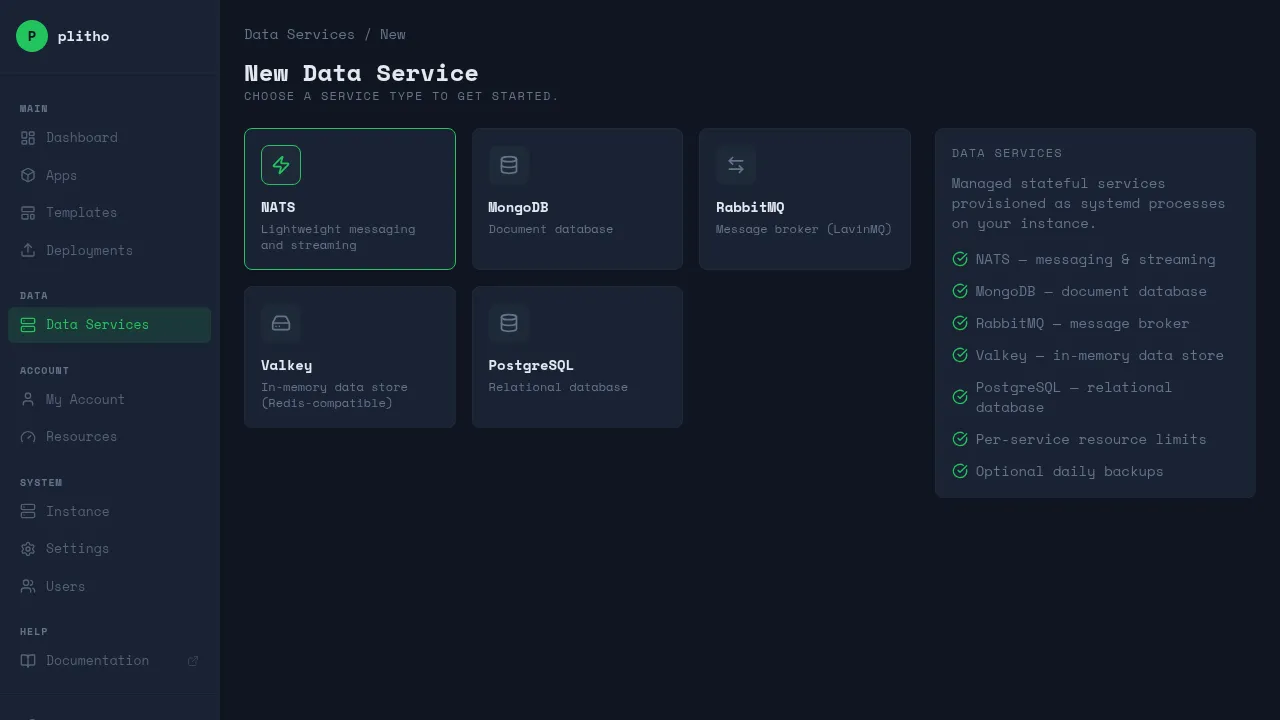
The dashboard shows the connection port and any credentials. Save the password immediately — it is not stored after this response.
REST API
curl -b cookies.txt -X POST https://your-server:8080/api/data-services \
  -H 'Content-Type: application/json' \
  -d '{
    "type": "nats",
    "name": "my-nats",
    "max_cpu_millicores": 500,
    "max_memory_mb": 256,
    "storage_mb": 1024,
    "backup_enabled": true,
    "backup_schedule": "*-*-* 02:00:00",
    "credentials": {"password": "mysecret"}
  }'
Response:
{
  "type": "nats",
  "name": "my-nats",
  "port": 4222,
  "message": "Save the credentials — passwords are not stored after this response."
}
Connecting from Your App
All services bind to 127.0.0.1 only. Use localhost or 127.0.0.1 as the host.
NATS
nats://password@127.0.0.1:4222
nc, err := nats.Connect("nats://password@127.0.0.1:4222")
const nc = await connect({ servers: "nats://127.0.0.1:4222", token: "password" });
nc = await nats.connect("nats://password@127.0.0.1:4222")
MongoDB
mongodb://plitho_<name>:password@127.0.0.1:<port>/admin
client, err := mongo.Connect(ctx, options.Client().ApplyURI(os.Getenv("MONGODB_URL")))
const client = new MongoClient(process.env.MONGODB_URL);
client = MongoClient(os.environ["MONGODB_URL"])
RabbitMQ (LavinMQ)
amqp://username:password@127.0.0.1:5672/
Management UI: http://127.0.0.1:15672 (port+10000).
conn, err := amqp.Dial(os.Getenv("RABBITMQ_URL"))
const conn = await amqp.connect(process.env.RABBITMQ_URL);
conn = pika.BlockingConnection(pika.URLParameters(os.environ["RABBITMQ_URL"]))
Resource Management
Each service gets a dedicated systemd slice that enforces limits:
| Field | What it limits |
|---|---|
max_cpu_millicores |
CPU quota via CPUQuota= (1000m = 1 core) |
max_memory_mb |
Hard memory cap via MemoryMax=; soft warning at 80% via MemoryHigh= |
storage_mb |
XFS project quota on the data directory |
Minimum values: 100m CPU, 64 MB memory, 100 MB storage.
To update resources:
PUT /api/data-services/{type}/{name}/resources
{"max_cpu_millicores": 1000, "max_memory_mb": 512, "storage_mb": 4096}
This rewrites the slice file and restarts the service.
Credentials
Passwords are passed to the agent on creation and applied to the service config, but are not stored in Plitho's database. Store them in your app's environment variables.
To reset credentials:
POST /api/data-services/{type}/{name}/reset-credentials
A new random password is returned in the response. Plitho restarts the service to apply it.
Configuration
Each service type has a schema defining its configurable fields. The Config tab on the detail page renders these fields dynamically. Fields are annotated with their behavior:
| Tag | Meaning |
|---|---|
| Hot reload | Applied immediately via runtime command (no restart needed) |
| Restart required | Saved to config, service must restart to take effect |
| Readonly | Cannot be changed after creation |
Per-service configuration
NATS
| Field | Type | Default | Notes |
|---|---|---|---|
max_payload |
number | 1048576 | Maximum message size in bytes. Restart required. |
max_connections |
number | 65536 | Maximum concurrent client connections. Restart required. |
max_control_line |
number | 4096 | Maximum length of control line protocol. Restart required. |
write_deadline |
number | 10 | Timeout for write operations (seconds). Restart required. |
jetstream |
boolean | false | Enable persistent messaging. Readonly after creation. |
MongoDB
| Field | Type | Default | Notes |
|---|---|---|---|
auth_enabled |
boolean | true | Require authentication. Restart required. |
storage_engine |
select | wiredTiger | Storage engine. Readonly after creation. |
cache_size_gb |
number | 0.25 | WiredTiger cache size in GB. Hot reload. |
max_conns |
number | 1000 | Maximum concurrent connections. Hot reload. |
RabbitMQ (LavinMQ)
| Field | Type | Default | Notes |
|---|---|---|---|
heartbeat |
number | 60 | Heartbeat timeout for client connections (seconds). Restart required. |
frame_max |
number | 131072 | Maximum frame size (bytes). Restart required. |
channel_max |
number | 2048 | Maximum number of channels per connection. Restart required. |
Updating configuration
PUT /api/data-services/{type}/{name}/config
{
  "config": {"cache_size_gb": 0.5, "max_conns": 2000}
}
Response indicates which changes were applied immediately and which require a restart:
{
  "config": {"cache_size_gb": 0.5, "max_conns": 2000, ...},
  "hot_reload_applied": ["cache_size_gb", "max_conns"],
  "restart_required": [],
  "message": "Changes applied successfully."
}
Backups
Backups are implemented as systemd timer units that run a shell script on a schedule:
plitho-ds-{type}-{name}-backup.timer    ← schedule
plitho-ds-{type}-{name}-backup.service  ← one-shot runner
Backup data is stored at /var/lib/plitho/backups/{type}/{name}/YYYYMMDD-HHMMSS/.
Backups older than 7 days are automatically pruned by the backup script.
Per-service strategy
| Service | Method |
|---|---|
| NATS | Copy of the JetStream store directory |
| MongoDB | mongodump dump into a dated directory |
| RabbitMQ | Copy of the LavinMQ data directory |
Configuring backups
PUT /api/data-services/{type}/{name}/backup
{"backup_enabled": true, "backup_schedule": "*-*-* 02:00:00"}
The backup_schedule field is a systemd calendar expression. Examples:
| Schedule | Meaning |
|---|---|
*-*-* 02:00:00 |
Daily at 02:00 |
Sun *-*-* 03:00:00 |
Weekly on Sunday at 03:00 |
*-*-1 04:00:00 |
Monthly on the 1st at 04:00 |
Check backup timer status:
systemctl status plitho-ds-mongodb-mydb-backup.timer
journalctl -u plitho-ds-mongodb-mydb-backup.service
Managing Services
Dashboard
The detail page for each service has seven tabs:
- Overview — connection details, credentials reset
- Logs — live streaming of systemd journal output
- Metrics — CPU, memory, and storage usage over time with charts
- Resources — update CPU / memory / storage
- Config — edit service-specific configuration (schema-driven, shows hot reload vs restart required)
- Backup — enable, disable, or reschedule backups
- Danger — delete the service and all its data
REST API
| Method | Endpoint | Description |
|---|---|---|
| GET | /api/data-services |
List all your services |
| POST | /api/data-services |
Create a service |
| GET | /api/data-services/{type}/{name} |
Get service details |
| DELETE | /api/data-services/{type}/{name} |
Delete service + data |
| POST | /api/data-services/{type}/{name}/restart |
Restart |
| PUT | /api/data-services/{type}/{name}/resources |
Update resources |
| POST | /api/data-services/{type}/{name}/reset-credentials |
New password |
| PUT | /api/data-services/{type}/{name}/config |
Update configuration |
| PUT | /api/data-services/{type}/{name}/backup |
Configure backup |
| GET | /api/data-services/{type}/{name}/logs/stream |
Stream logs (SSE) |
| GET | /api/data-services/{type}/{name}/metrics |
Get metrics data |
| GET | /api/data-services/{type}/{version}/schema |
Get config schema |
Deleting a Service
Danger
Deletion stops the systemd unit, removes the config file, and permanently deletes the data directory at /var/lib/plitho/ds/{type}/{name}/. Take a backup first.
DELETE /api/data-services/mongodb/mydb
Systemd Units
Each service produces the following units:
plitho-ds-{type}-{name}.service         # main service
plitho-ds-{type}-{name}.slice           # resource limits
plitho-ds-{type}-{name}-backup.service  # backup runner (if enabled)
plitho-ds-{type}-{name}-backup.timer    # backup schedule (if enabled)
# Status
systemctl status plitho-ds-nats-my-nats

# Logs
journalctl -u plitho-ds-nats-my-nats -f

# List all data service units
systemctl list-units 'plitho-ds-*'
Files on Disk
| Path | Purpose |
|---|---|
/etc/plitho/ds/{type}/{name}.conf |
Service configuration |
/var/lib/plitho/ds/{type}/{name}/ |
Data directory (XFS quota applied) |
/var/lib/plitho/backups/{type}/{name}/ |
Backup archives |
/usr/local/lib/plitho/ds/{type}-{name}-backup.sh |
Backup script |
/var/log/plitho/ds/{type}-{name}.log |
Service log (where applicable) |
Network Namespace Isolation
Each Plitho user gets a dedicated Linux network namespace (plitho-<username>). All data services owned by that user run inside their namespace. This provides kernel-enforced isolation:
- User A cannot reach User B's
127.0.0.1 - Port numbers are per-namespace, so two users can have services on the same port without conflict
- Services created before the feature (no owner) continue to run on the host network namespace